
Permission Guard
VY Technology ServicesBusiness
4.7593.00 Reviews
- Version
- 2.9.7
- Installs
- 1.00M
- Age Rating
- Everyone
Screenshots
Our Review of Permission Guard
 Analysis by Appyee
When a phone starts asking me to approve or deny access during a busy moment, I often tap through without thinking. Later, it can be hard to remember what I allowed or why. Permission Guard is aimed at that everyday problem: it gives you a place to review app permissions and make more deliberate choices. The useful question is not simply whether an app requests access, but whether that access makes sense for the way you use it.
Where permission reviews can get confusing
Permission settings are easy to postpone because the consequences are not always immediate. An app may still open after you remove access, but a particular feature might stop working; in other cases, you may see a prompt again. I would approach a permission change as a small test rather than a permanent verdict on the app. Revoke one access you do not understand, try the part of the app you rely on, and restore it only if that feature genuinely needs it.
That cautious approach matters because the same permission can have a reasonable use in one context and feel unnecessary in another. A navigation app has an obvious reason to use location while you are getting directions, for example, while a tool that has no location-related purpose deserves a closer look. Permission Guard is most useful as a prompt to ask those questions, not as an automatic label-maker that can decide an app is safe or unsafe for you.
A calmer way to start
I would not begin by changing every setting at once. Start with apps you use often, then look at less familiar ones when you have time to check whether their main functions still work after a change. This makes it easier to notice which adjustment caused a problem, and it keeps a privacy review from turning into a frustrating afternoon of troubleshooting.
It also helps to separate permissions you understand from ones you need to investigate. If a request makes sense for a feature you actively use, you can leave it alone for now. If you cannot see a connection, note the app and revisit it when you are not in the middle of a task. A measured review is more practical than denying access simply because the permission name sounds broad or alarming.
What to check before blaming the app
If a feature stops behaving as expected after you change access, first check whether that feature depends on the permission you just adjusted. Try the relevant action again and read any explanation the app displays. If restoring the access brings the feature back, you have a useful clue; if it does not, the cause may be elsewhere, such as a temporary app issue or a setting outside the permission review itself.
I would also avoid making several changes in one sitting when you are trying to solve a specific problem. Changing one thing at a time gives you a clearer trail to follow and makes it easier to undo the right choice. A permission manager can help organize decisions, but it cannot replace basic troubleshooting or tell you what every app’s feature is supposed to do.
Who benefits most from this approach
Permission Guard is a good fit for someone who wants a more deliberate routine than opening individual settings screens only after a concern comes up. It can also help if you are setting up a phone for a family member and want to review access together, explaining why a permission is useful before changing it. For a work device, follow any rules set by the person or organization responsible for it rather than changing access on your own.
On the other hand, if you are already comfortable reviewing permissions through your phone’s built-in controls and rarely need a separate place to do it, another app may add little to your routine. And if you expect a permission tool to identify malicious behavior or guarantee privacy, this is not the right expectation: reviewing access is one part of managing a phone, not a complete security audit.
In the business-app category, Permission Guard has a focused purpose rather than the broad scope of a device-cleanup or antivirus product. Compared with checking permissions one app at a time in system settings, a dedicated manager can make the review feel more organized; the trade-off is that you still need to use judgement and understand how your chosen changes affect each app. I see it as a practical companion to the phone’s own controls, not a replacement for them.
Ever find yourself wondering exactly what kind of information your apps are accessing on your phone? Well, I’ve just given Permission Guard a spin, and let me tell you, it’s like having a little security guard in your pocket. This nifty app is designed to keep you informed and in control of your app permissions, and I’ve got a lot to say about it.
Getting to Know Permission Guard
So, what exactly is Permission Guard? Essentially, it’s an app that lets you monitor and manage the permissions granted to other apps on your device. You know those long lists of permissions you usually skip through when installing something new? Yeah, this app is all about making those less of a mystery.
Installing it was a breeze. It’s available on both Android and iOS, so no worries about missing out if you’re on a different team. Once downloaded, it doesn’t take much to get started. A quick setup process, and you’re on your way to becoming the boss of your own phone.
User Interface: Simple and Straightforward
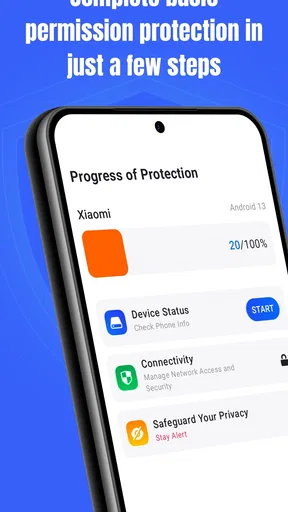
One of the first things I noticed was how clean and straightforward the user interface is. Everything is laid out in a way that even the least tech-savvy among us can navigate with ease. The main dashboard gives you an overview of all the apps installed on your device and their corresponding permissions. It’s kind of like looking at a bird’s-eye view of your app ecosystem.
Each app is neatly listed with a little toggle switch next to it. Want to take back a permission you regret granting? Just flick the switch. It’s oddly satisfying, like decluttering your digital life.
Features That Stand Out
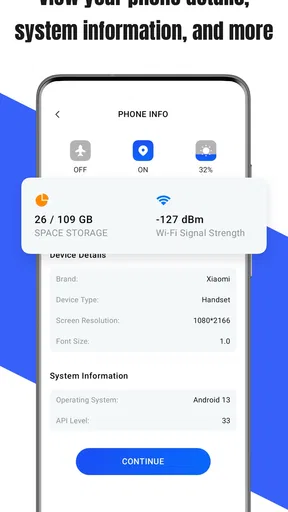
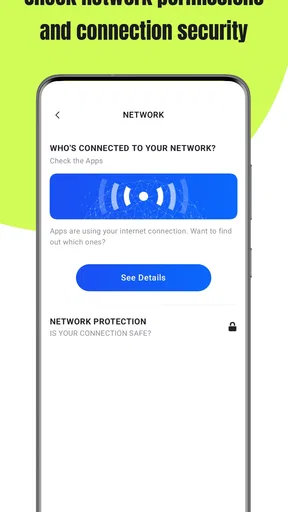
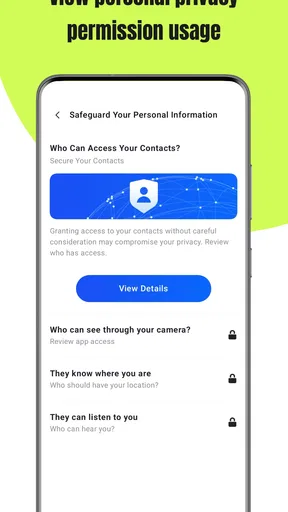
What really sets Permission Guard apart are some of its standout features. First up, the detailed breakdown of permissions. You can dive into each app and see exactly what permissions it has, from camera access to location services. It’s a real eye-opener, especially for apps you thought were harmless.
Another feature I love is the permission alert system. Every time an app tries to access something new, you get a notification. It’s like having a bouncer at the club of your phone, only letting in the worthy.
And let’s not forget about the history log. This nifty feature keeps track of all permission changes, so you can always go back and see what’s been altered and when. It’s a fantastic way to keep tabs on what’s happening behind the scenes.
Protection and Privacy
In today’s world, privacy is a big deal, and Permission Guard takes it seriously. By giving you control over your permissions, it adds an extra layer of security to your sensitive information. It’s like having a watchdog that never sleeps.
For those who are particularly privacy-conscious, the app offers a deep dive into permissions, allowing you to revoke access to those apps you’re not comfortable with. It’s empowering to know what’s going on with your data.
Real-World Use
Using Permission Guard in my daily life, I’ve become much more aware of how apps operate. It’s interesting to see which apps request certain permissions and why. Some apps I’ve used for years were asking for things I never even realized, leading me to question their necessity.
One downside, though, is that it can be a bit overwhelming at first. The sheer number of permissions and apps to manage might feel like a lot. But once you get over that initial hump, it becomes second nature.
Also, while the app is great for managing permissions, it won’t stop apps from functioning altogether if they’re denied certain permissions. So, a little bit of trial and error might be necessary to find the right balance.
Final Thoughts
Overall, Permission Guard is a fantastic tool for anyone looking to take control of their digital privacy. It’s easy to use, packed with helpful features, and offers peace of mind in a world where privacy can sometimes feel like an afterthought.
If you’re like me and want to know exactly what’s happening under the hood of your phone, then give Permission Guard a try. It might just become your new favorite app—because who doesn’t love a little extra security?
A practical routine for ordinary days
A useful way to make permission review less abstract is to tie it to a moment that already happens: installing a new app, replacing an old one, or noticing a feature you never use. Rather than auditing the whole phone repeatedly, I would review the new app after setup and then check it again if its behavior changes. That gives the permission list a purpose and avoids turning privacy management into a daily chore.
For example, imagine installing a shopping app before a weekend trip. You may want to browse products and place an order, but not every optional access request will be relevant to that task. I would first identify what I need the app to do, then consider each request against that use. If denying one permission affects an unrelated feature, I can decide whether that feature matters instead of granting everything preemptively.
Using the history as a troubleshooting aid
The history log is most valuable when you treat it as a record of your own decisions, not as proof of what an app did with information. If something changes after a review, looking back at the sequence can help you remember which access you adjusted. A simple personal note about why you made a change can add context that a list of changes alone may not capture, especially if you revisit the settings weeks later.
Notifications can also become noisy if you respond to every prompt as though it needs an immediate decision. When one appears at an inconvenient time, I would pause and consider whether I am actively using a feature that needs the access. If not, I can wait until I have a moment to review it properly. The trade-off is that a permission alert is a useful nudge, but constant interruptions can make it easier to dismiss prompts without thinking.
What the install and setup experience means
Permission Guard is a free business app from VY Technology Services. It has a 4.7 average from around 4,100 ratings, with about 174 written reviews, and has passed 500,000 installs. Those figures suggest that it has found an audience, but they do not tell me whether its approach will suit your phone or your habits. I would judge it by whether you find its permission overview easier to use than the controls you already have.
The current version is 2.5.0, and it is rated for Everyone. Its listed minimum operating-system requirement is version 7.0, so it is sensible to check compatibility on your own device before building a routine around it. As with any app that helps manage settings, I would take a moment during setup to understand what it asks you to enable and why. A permission-management tool should be approached with the same care it encourages you to apply elsewhere.
Limits, compatibility, and sensible expectations
One important distinction is between seeing or changing a permission and knowing the full story of an app’s privacy practices. A permission review can help you make a more informed choice about access, but it cannot by itself explain how an app handles information after access is granted. For that broader question, I would also read the app’s own privacy information and consider whether I trust the service enough to use it.
Phone operating systems control how app access works, so the exact choices available can depend on the device and its software. If a control does not appear as expected, I would check the phone’s own settings and confirm that the operating system supports the option before assuming Permission Guard is malfunctioning. This is also why I would keep the system settings familiar: they remain the sensible fallback if I need to verify or reverse a change directly.
Who should keep it—and who can skip it
I would recommend trying Permission Guard if permission screens feel scattered, if you want a visible record of changes, or if you are ready to spend a little time deciding what access your regular apps actually need. It suits curious users who prefer a hands-on approach and are comfortable testing an app after changing a setting. The benefit is less about one dramatic security fix and more about building a clearer, repeatable habit.
I would skip it if you want a hands-off solution that makes privacy decisions for you, or if you expect it to replace your phone’s built-in security tools. It is also a poor fit when you cannot spare time to test features after restricting access; in that case, leaving a working setup alone and reviewing it later may be the safer choice. For someone who already manages permissions confidently in system settings, the extra layer may not justify another app to maintain.
My practical verdict
My view is that Permission Guard is most convincing as an organizer for careful users, not as a promise that every privacy risk disappears. Its permission overview, change history, and alerts can make decisions easier to revisit, while the need to interpret requests and test app behavior remains with you. I would use it in small, deliberate passes: check one app, make one change, and confirm that the function I care about still works.
That measured approach keeps the tool useful without turning every permission into an emergency. If you want a clearer way to inspect and manage app access, it is worth considering; if your priority is automatic protection or a complete privacy assessment, look for a solution designed for that broader job. The best reason to install it is simple: you want to understand your choices better and are willing to make them thoughtfully.
Privacy and Permissions
See what permissions an app requests and how it handles your data.
- Wi-Fi connection information
- view Wi-Fi connections
- Other
- view network connections, full network access, run at startup, prevent device from sleeping, Google Play license check
Verdict
Strengths of Permission Guard
- Simple and intuitive user interface.
- Allows control over app permissions.
- Lightweight and fast performance.
- No ads or in-app purchases.
- Regular updates and bug fixes.
Limitations of Permission Guard
- Limited advanced features.
- Requires manual setup for each app.
- No backup for permission settings.
- Not available on iOS devices.
- Lacks a detailed user guide.
Similar Picks in This Category
View All
LinkedIn: Community & Network
LinkedIn3.8

Zoom Workplace
zoom.com4.1

Microsoft Teams
Microsoft Corporation4.6

Meta Business Suite
Meta Platforms, Inc.4.6

Webex Meetings
Cisco Systems, Inc.4.5

TeamViewer Remote Control
TeamViewer4.4
Frequently Asked Questions
What is Permission Guard and what does it do?
Permission Guard is an app designed to help users manage and control app permissions on their Android or iOS devices. It allows you to review, grant, or deny permissions for various apps, ensuring your personal data remains secure. By using Permission Guard, you can prevent apps from accessing sensitive information without your consent.
Is Permission Guard safe to use?
Yes, Permission Guard is safe to use. It is designed with user privacy in mind and does not collect or store any personal data. The app functions locally on your device, meaning your information is not sent to any external servers. Always download from official app stores to ensure authenticity.
How does Permission Guard improve my device's security?
Permission Guard enhances device security by giving you control over app permissions. By restricting unnecessary permissions, you reduce the risk of apps accessing sensitive data or functionalities without your knowledge. This proactive approach helps protect against data breaches and privacy invasions, keeping your device and information secure.
Can I use Permission Guard on both Android and iOS devices?
Permission Guard is available for both Android and iOS devices, although the functionality may vary slightly due to differences in operating system permissions management. On Android, you may have more granular control, while iOS focuses on user-friendly permission management. Check the app's compatibility with your device's OS version before downloading.
Does Permission Guard affect the performance of my apps?
Permission Guard is designed to have minimal impact on app performance. It primarily focuses on managing permissions without altering the core functionalities of your apps. However, denying certain permissions may limit app features. You can always adjust permissions if you notice any performance issues or functionality limitations.
